Customer Communication
Every customer conversation in one inbox, with AI that drafts for you
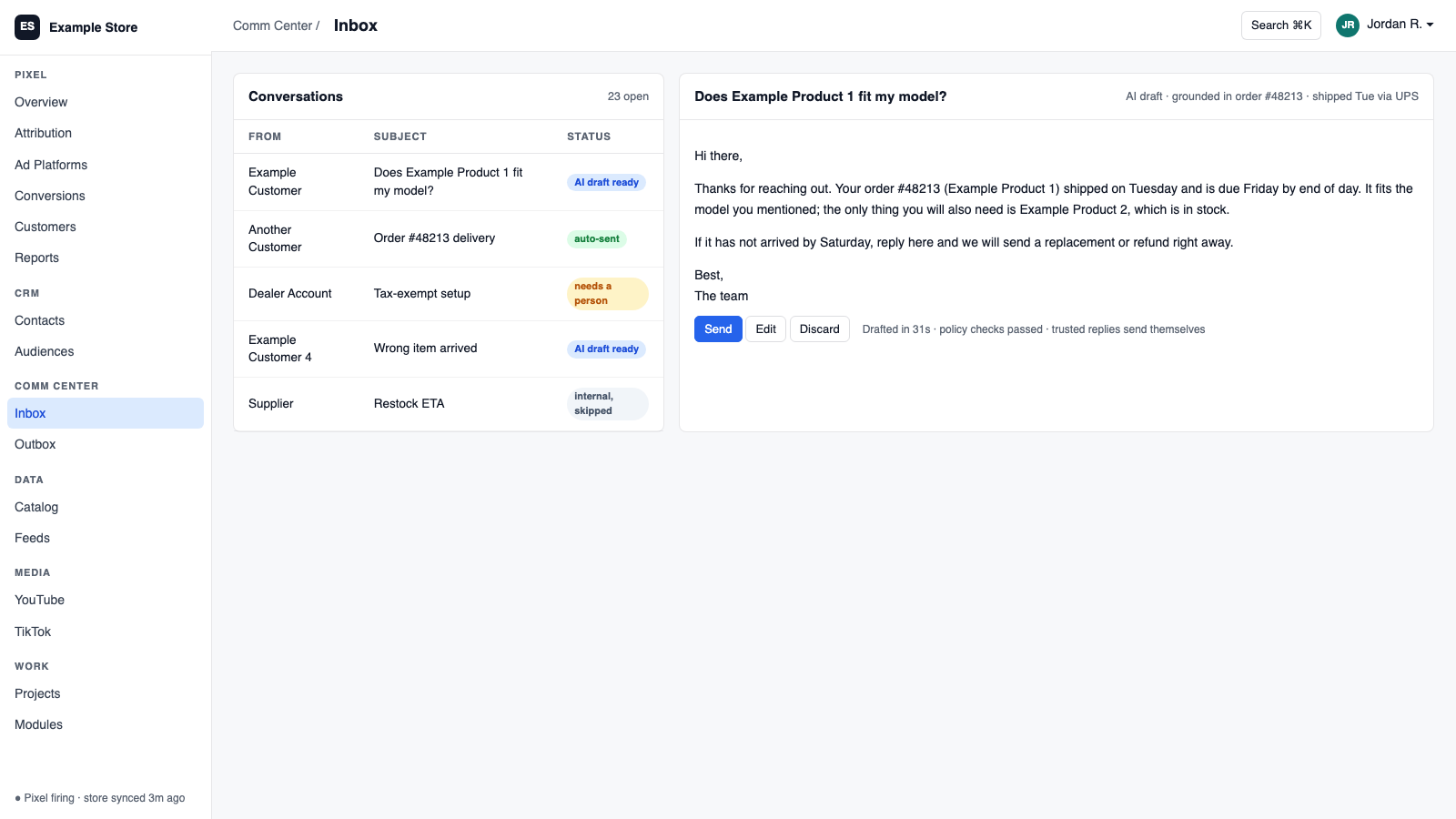
Communications Center brings email, support tickets, and YouTube, Facebook, and Instagram comments into one shared inbox. Your team replies in place, AI drafts answers in your voice, and each inbox is set to AI off, draft only, or auto-send. Cart recovery and back-in-stock emails are built in and approval-gated.
Best for: Teams answering customers across email and social who want faster replies without losing control of what goes out.
The five things Communications Center does for you
1
One inbox for every channel
Email, tickets, and social comments arrive as conversations your team can filter, assign, snooze, and answer in one place.
2
AI drafts in your voice
Pick a persona and skill packs per inbox, such as order status or returns, and the draft is ready when you open the thread.
3
You control what sends itself
Each inbox is off, draft only, or auto-send, with one master switch that stops all AI sending at once.
4
Cart recovery and restock emails
Personalized cart emails and back-in-stock notices, off by default, approved per campaign, with consent re-checked at send.
5
You hear when something breaks
Bounces, failed sends, and stalled AI drafting raise alerts that link straight to the thread.
How you use it
You say to Claude or ChatGPT
“Draft replies to every open support email from today and show me the ones that mention a refund.”
What comes back
- One inbox for every channel. Email, tickets, and social comments arrive as conversations your team can filter, assign, snooze, and answer in one place.
- AI drafts in your voice. Pick a persona and skill packs per inbox, such as order status or returns, and the draft is ready when you open the thread.
- You control what sends itself. Each inbox is off, draft only, or auto-send, with one master switch that stops all AI sending at once.
Works with
Modules that pair well with Communications Center.
Gmail
Connect Gmail with Google sign-in. Mail syncs in, replies thread correctly, and you choose what the shared inbox may do.
Microsoft Mail
Connect with Microsoft sign-in, sync mail on your schedule, send and draft from the platform, and see plain health status.
IMAP/SMTP Email
Connect any standard mailbox with an app password. Mail syncs in, sends go through your provider, and sent items land in your real folders.
Gorgias
Every ticket syncs in. AI drafts appear in Gorgias as private notes, or approve and send from Orkie.
Zendesk
Tickets and comments sync into the shared inbox. Approved drafts post back as public replies or private notes.
YouTube
Sync your channel, answer comments from the shared inbox, match videos to products, and see which videos are linked to sales.
Facebook & Instagram
Send verified conversions to Meta, sync spend for real ROAS, answer comments from one inbox, and create campaigns that start paused.
CRM
One customer record built from your site, store, and inbox. Find good prospects, group them by what they did, and email them with consent checked.
AI Assistant
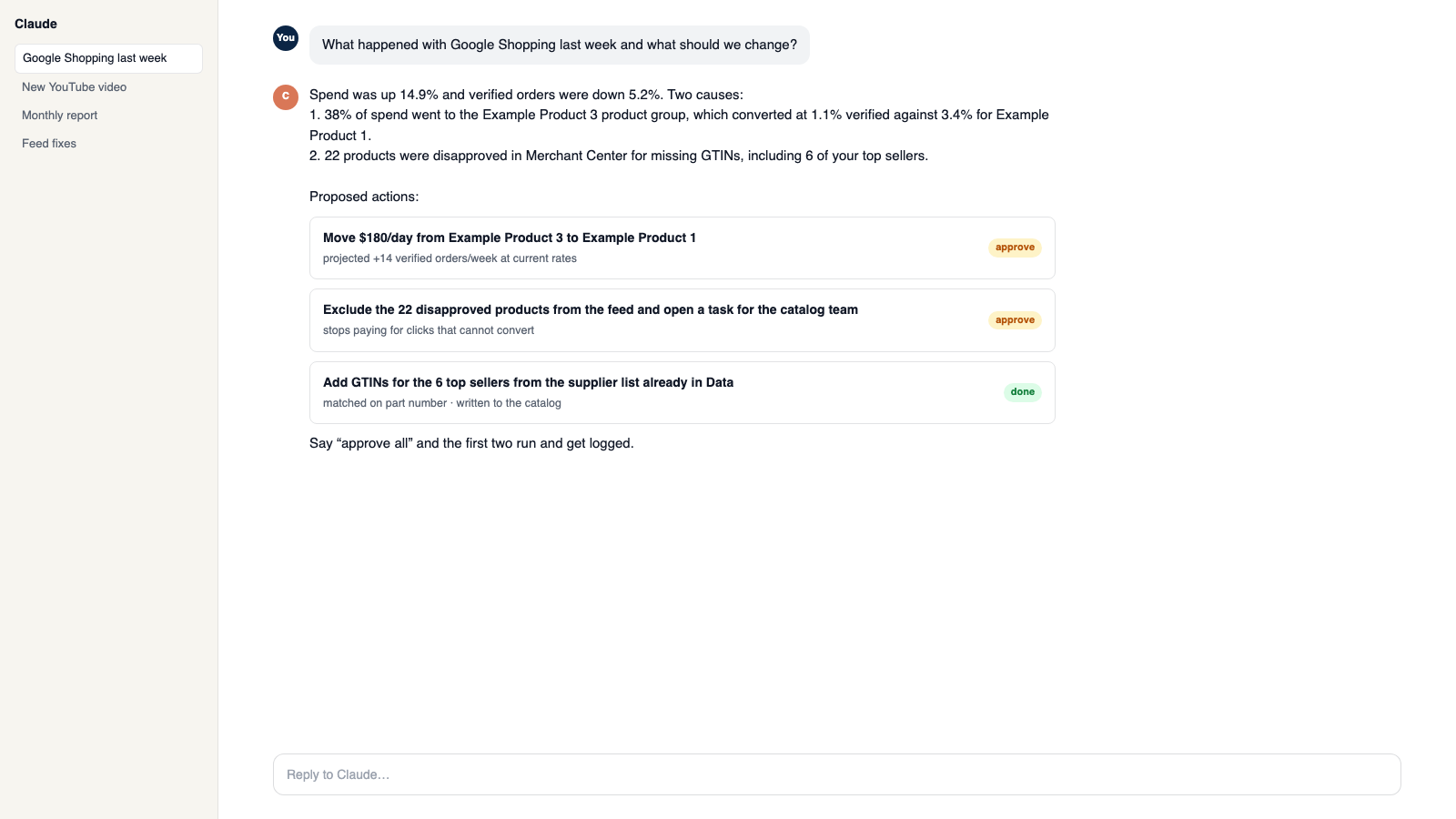
Private chat grounded in your own data, with sources. Set its voice, control what it does, and approve every change it prepares.
Make it yours
Customize the workspace.
Communications Center is one module. Add the others you need, talk to all of them from Claude or ChatGPT, or ask for one that does not exist yet.
Connect Claude or ChatGPT
Talk to the workspace in plain English. Ask for reports, changes and builds. Everything it changes waits for your yes.
Add modules from the catalog
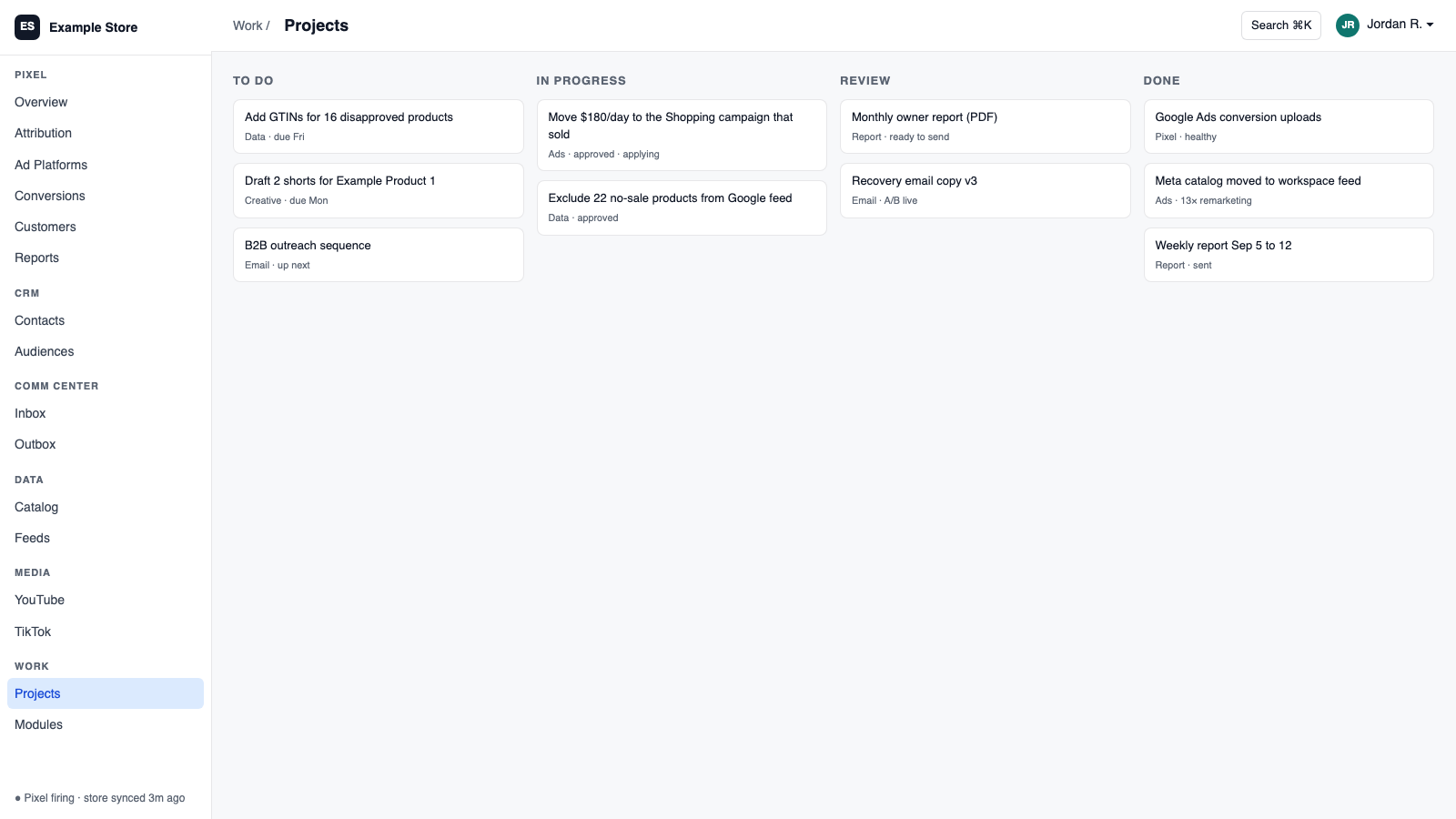
Pixel, ads, feeds, email, CRM, inbox, video, finance. Install what you need; each one shares data with the rest.
Build a custom module
A dealer portal, a fitment checker, an ERP link, your own Shopify app. Describe it and it gets built into your workspace.
Questions
About Communications Center
Will the AI send emails without me?
Only if you turn on auto-send for that inbox. The default is draft only, and a master switch can stop it all.
Which channels come in?
Gmail, Microsoft Mail, IMAP email, Zendesk, Gorgias, YouTube comments, and Facebook and Instagram comments.
Can Claude or ChatGPT set up an inbox?
Yes. An admin can ask the assistant to build a smart inbox with routing rules, then review it.
See Communications Center on your own data.
Talk to us and we will show this module running on your business, not a sample account. Call 1-877-ORKIE-15.