Content & Social
Put the right videos on your product pages and know which ones sell
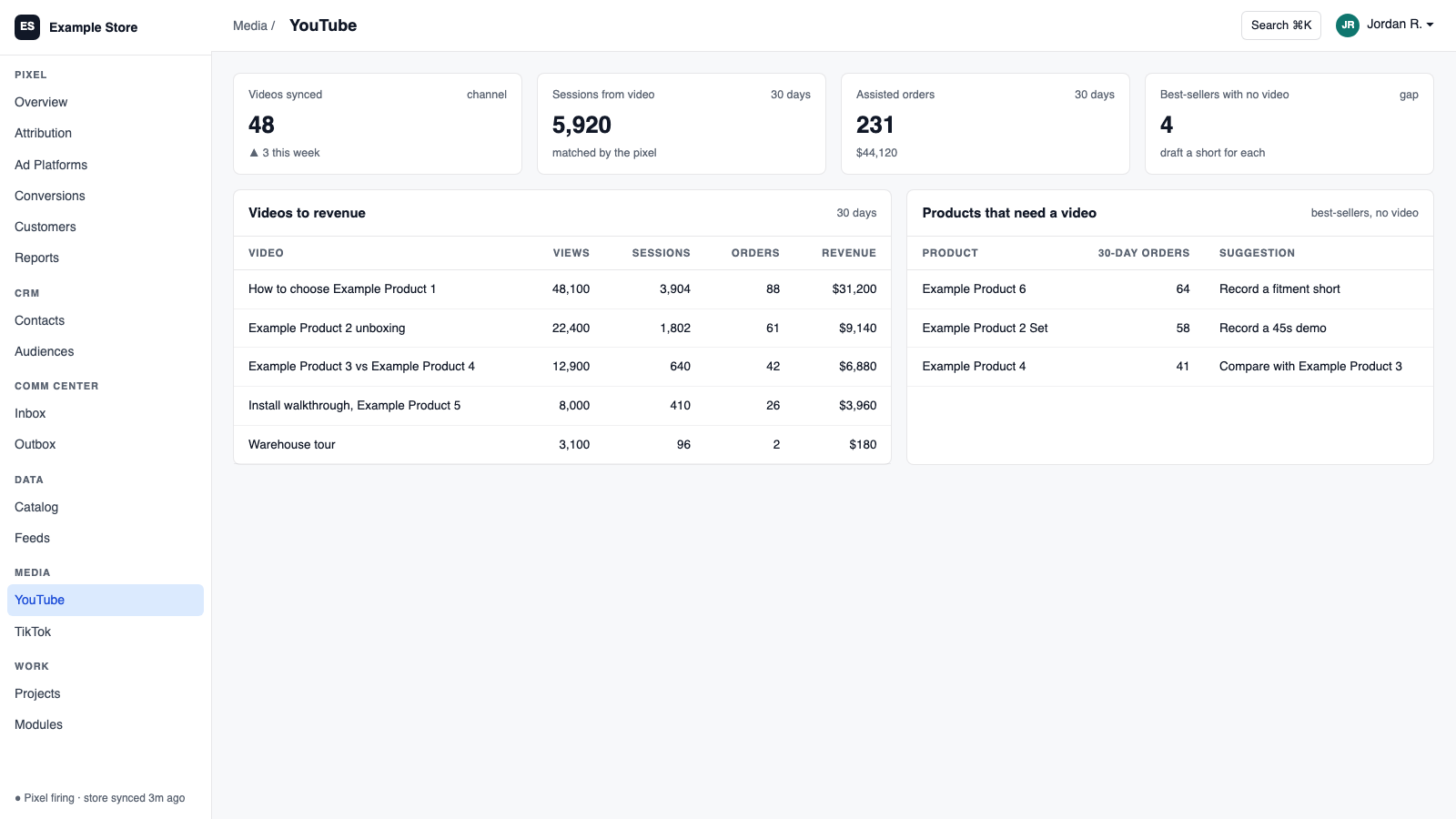
YouTube connects your channel with the permissions you choose. It syncs videos and analytics, brings comments into the Communications Center for AI-drafted replies, matches videos to your products so you can publish a related-videos section on product pages, and reports which videos are associated with sales.
Best for: Brands that make product videos and want them working on the store, not just on YouTube.
The five things YouTube does for you
1
Videos on your product pages
Match videos to products, approve the pairs, and publish a related-videos section on Shopify product pages.
2
Know which videos are working
Reports comparing watch time and retention with store activity, so you know what to make next.
3
Comments answered from one inbox
Comments flow into the Communications Center. AI or a person drafts, and posting needs approval.
4
Channel stats in one place
Views, watch time, average view duration, subscriber changes, and top videos.
5
Safe metadata changes
Title, description, and tag changes queue as suggestions and apply only after approval.
How you use it
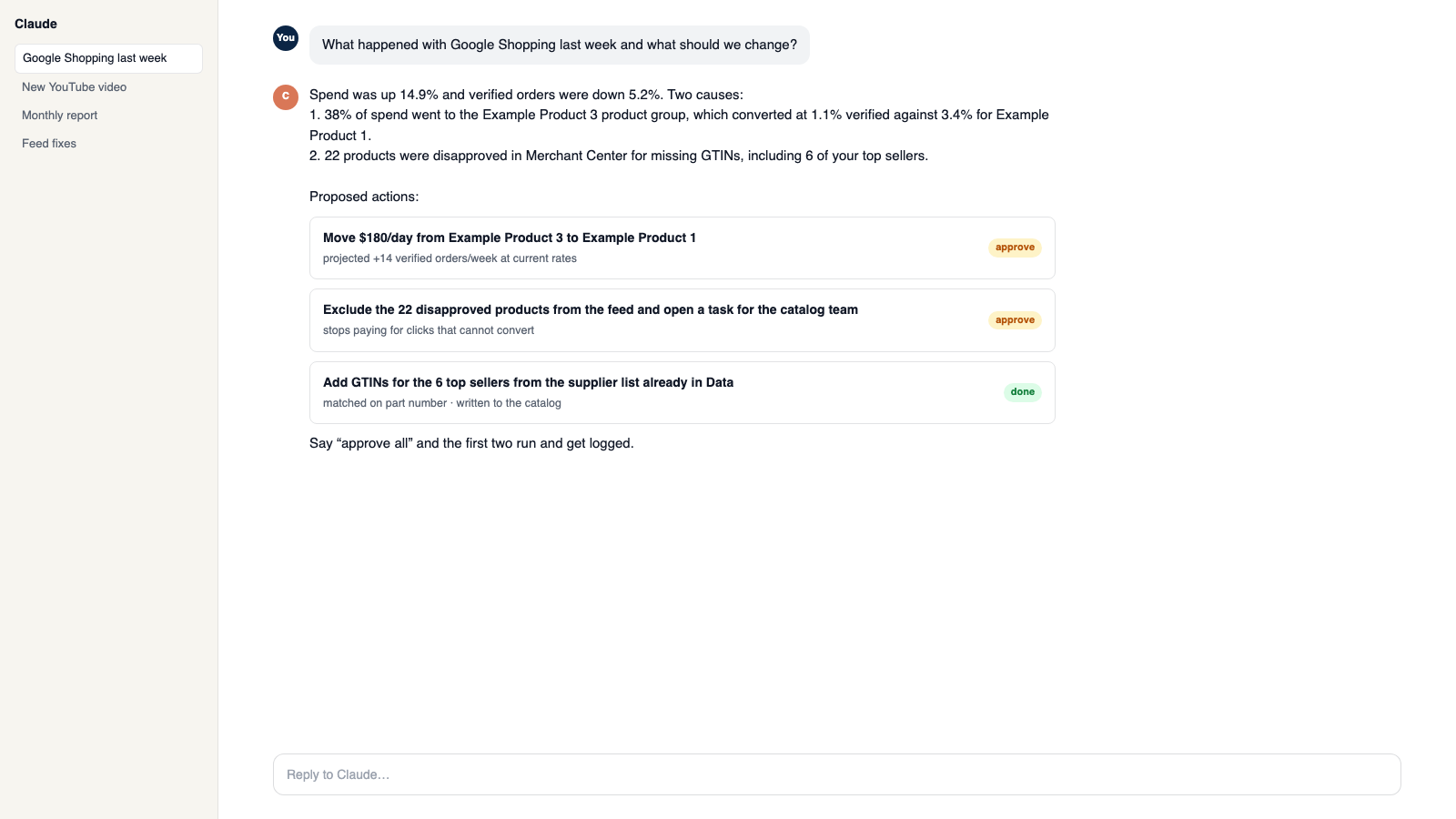
You say to Claude or ChatGPT
“Find videos that fit our new collection and show me the pairs before anything goes on the site.”
What comes back
- Videos on your product pages. Match videos to products, approve the pairs, and publish a related-videos section on Shopify product pages.
- Know which videos are working. Reports comparing watch time and retention with store activity, so you know what to make next.
- Comments answered from one inbox. Comments flow into the Communications Center. AI or a person drafts, and posting needs approval.
Works with
Modules that pair well with YouTube.
Shopify
Orders and customers in real time, one-search customer context, storefront pop-ups and discounts with margin checks, and back-in-stock emails.
Pixel Analytics
Your own visitor and order data. See who is buying, group customers by behavior, send verified sales to your ad platforms, and get full reports.
Communications Center
Email, support tickets, and social comments in one shared inbox. AI drafts replies in your voice, and you decide what sends itself.
Creative Studios
Make blog posts, video descriptions, product copy, and branded emails from your own videos, catalog, and docs. Nothing publishes until you say so.
AI Assistant
Private chat grounded in your own data, with sources. Set its voice, control what it does, and approve every change it prepares.
Workspace MCP
Connect your own assistant to Orkie. Ask questions, change ad budgets with one yes, match videos to products, and handle email.
Make it yours
Customize the workspace.
YouTube is one module. Add the others you need, talk to all of them from Claude or ChatGPT, or ask for one that does not exist yet.
Connect Claude or ChatGPT
Talk to the workspace in plain English. Ask for reports, changes and builds. Everything it changes waits for your yes.
Add modules from the catalog
Pixel, ads, feeds, email, CRM, inbox, video, finance. Install what you need; each one shares data with the rest.
Build a custom module
A dealer portal, a fitment checker, an ERP link, your own Shopify app. Describe it and it gets built into your workspace.
Questions
About YouTube
Does it run YouTube ads?
No. Ads are handled by the Google Ads module.
Will it post comments on its own?
Not unless you enable it. Public posting needs approval by default.
Does a video cause a sale?
The report shows associations, not proof. Use it to decide what to make next.
See YouTube on your own data.
Talk to us and we will show this module running on your business, not a sample account. Call 1-877-ORKIE-15.