AI Workspace
Talking to your store from Claude or ChatGPT
The questions an owner can ask, the actions they can take, the approvals that gate them, and how custom work gets built from the same chat window.
What we do
Every question and every job in your workspace goes to the AI model that fits it best. Quick checks go to fast, low-cost models. Hard work goes to the strongest ones. You choose how much cost matters, and you see exactly what AI costs you.
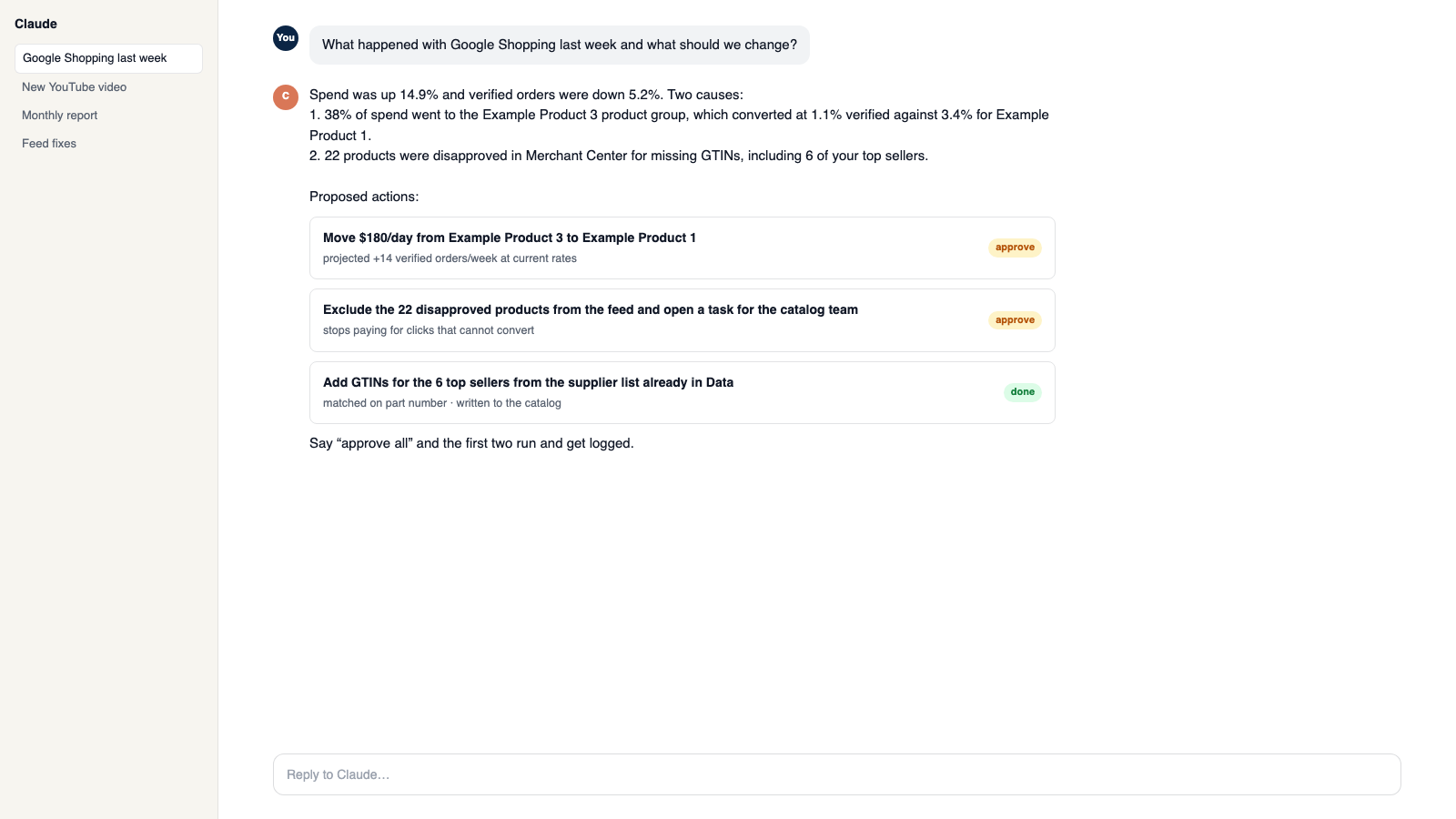
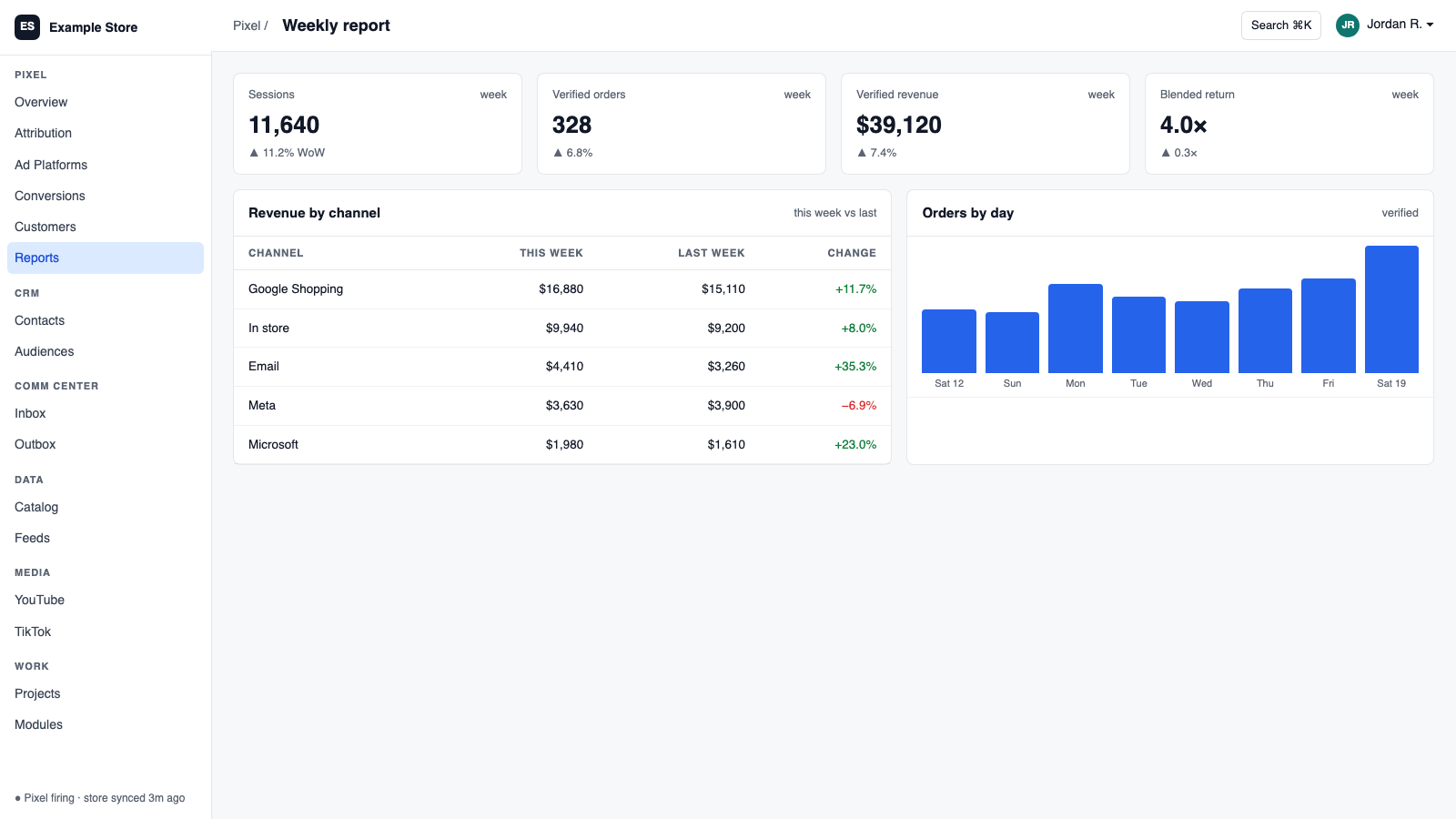
Each request is sorted by what it is: a chat, a draft, a report, a build. Then every available model is scored on how good it is at that kind of work and what it costs, and the best fit gets the job.
Three modes: Most Efficient, Balanced and Best Quality. Lock a specific model for a task when you want to, per workspace or per person.
Every request has two backup models from other providers ready. If one is busy or down, the work moves to the next one, so drafts and answers keep coming.
AI usage shows up by model, by channel and by day. Set a monthly spend cap with an alert before you reach it. Repeated instructions are cached, so you do not pay to send them twice.
Modules
Private chat grounded in your own data, with sources. Set its voice, control what it does, and approve every change it prepares.
Connect your own assistant to Orkie. Ask questions, change ad budgets with one yes, match videos to products, and handle email.
Email, support tickets, and social comments in one shared inbox. AI drafts replies in your voice, and you decide what sends itself.
Make blog posts, video descriptions, product copy, and branded emails from your own videos, catalog, and docs. Nothing publishes until you say so.
Make it yours
Every workspace starts from the same catalog and ends up different. Three ways to make it yours.
Talk to the workspace in plain English. Ask for reports, changes and builds. Everything it changes waits for your yes.
Pixel, ads, feeds, email, CRM, inbox, video, finance. Install what you need; each one shares data with the rest.
A dealer portal, a fitment checker, an ERP link, your own Shopify app. Describe it and it gets built into your workspace.
Questions
Claude (Haiku, Sonnet and Opus), Amazon Nova, OpenAI's open-weight models and Qwen, all run privately through AWS Bedrock on Orkie's own infrastructure.
No. Balanced mode is the default and picks for you. You can switch modes or lock a model for a task at any time.
No. Requests run through AWS Bedrock, which does not use your prompts or answers to train models, and your company brain stays in your own workspace.
Set a monthly cap and an alert level. The workspace shows spend by model and by day, so there are no surprises.
From the blog
The questions an owner can ask, the actions they can take, the approvals that gate them, and how custom work gets built from the same chat window.
A day in a shared inbox: email and social comments in one list, AI drafts written with the order in front of them, and a person who approves every send.
Talk to us, or start with the pixel. Call 1-877-ORKIE-15.