Customer Communication
AI-drafted replies for your Zendesk tickets
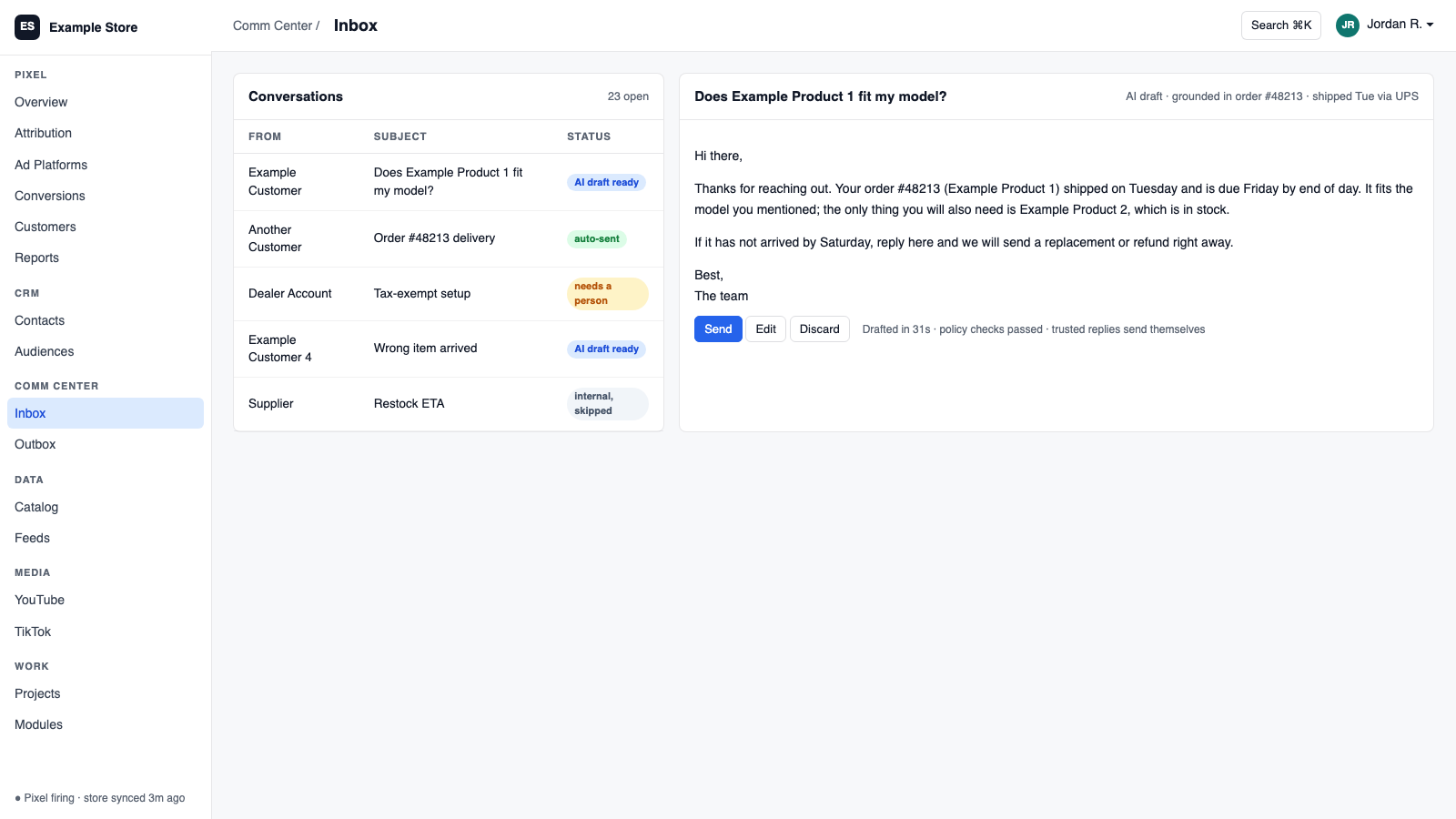
Zendesk syncs Support tickets and comments into the Communications Center, where AI drafts replies. Approved drafts go back to Zendesk as public replies or private notes, and each inbox can be set to auto-send. Updates arrive in near real time.
Best for: Support teams on Zendesk who want faster first replies.
The five things Zendesk does for you
1
Drafts for every ticket
AI drafts replies in your voice inside the shared inbox.
2
Replies posted back to Zendesk
Public replies reach the requester. Private notes stay internal.
3
Auto-send when you trust it
Each inbox can approve manually or send on its own.
4
Near real-time updates
Signed webhooks keep tickets current.
5
Access under admin control
Decide which modules may send to or receive from Zendesk.
How you use it
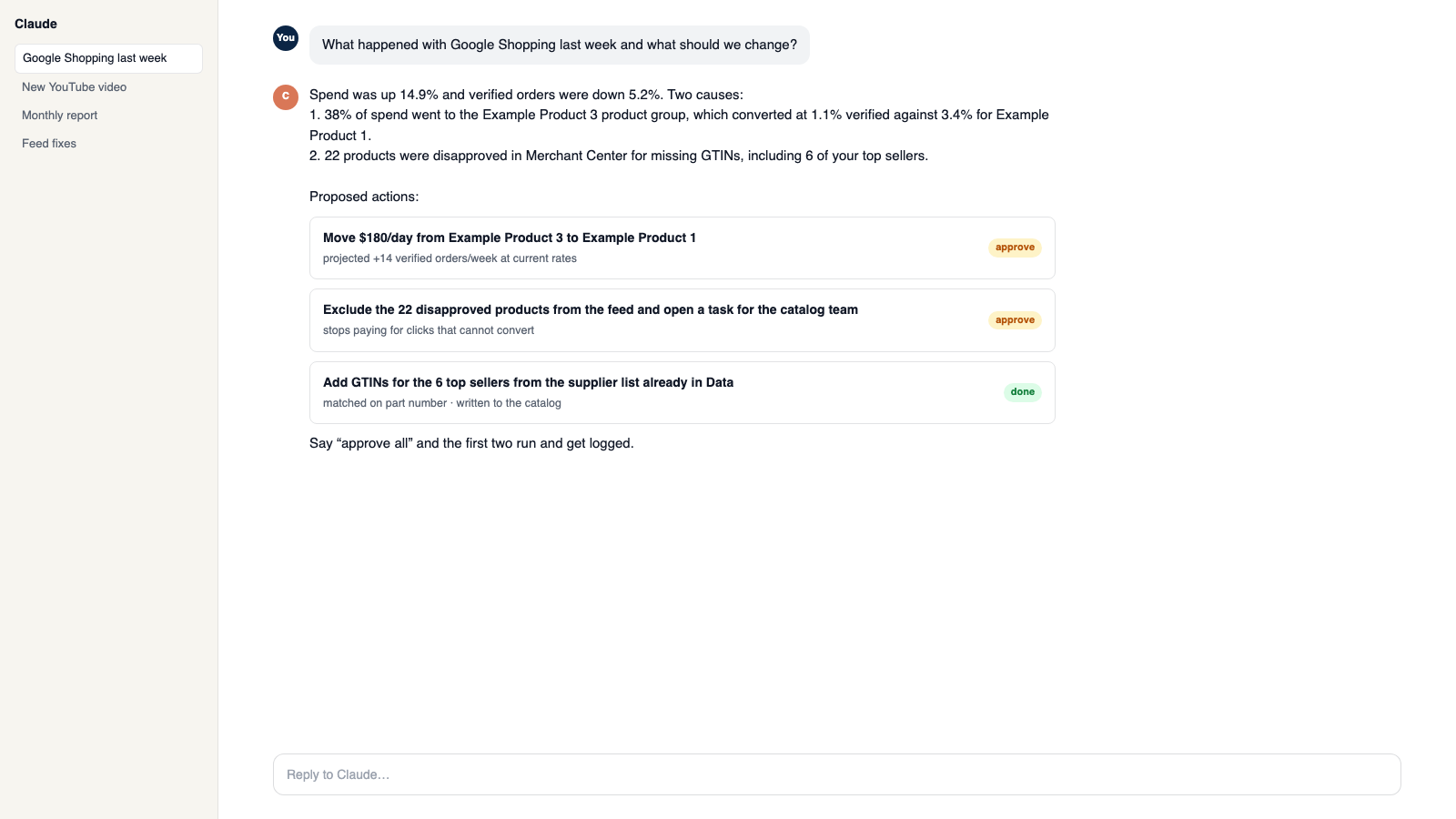
You say to Claude or ChatGPT
“Draft answers for today's new Zendesk tickets and flag any that mention a refund.”
What comes back
- Drafts for every ticket. AI drafts replies in your voice inside the shared inbox.
- Replies posted back to Zendesk. Public replies reach the requester. Private notes stay internal.
- Auto-send when you trust it. Each inbox can approve manually or send on its own.
Works with
Modules that pair well with Zendesk.
Communications Center
Email, support tickets, and social comments in one shared inbox. AI drafts replies in your voice, and you decide what sends itself.
AI Assistant
Private chat grounded in your own data, with sources. Set its voice, control what it does, and approve every change it prepares.
CRM
One customer record built from your site, store, and inbox. Find good prospects, group them by what they did, and email them with consent checked.
Make it yours
Customize the workspace.
Zendesk is one module. Add the others you need, talk to all of them from Claude or ChatGPT, or ask for one that does not exist yet.
Connect Claude or ChatGPT
Talk to the workspace in plain English. Ask for reports, changes and builds. Everything it changes waits for your yes.
Add modules from the catalog
Pixel, ads, feeds, email, CRM, inbox, video, finance. Install what you need; each one shares data with the rest.
Build a custom module
A dealer portal, a fitment checker, an ERP link, your own Shopify app. Describe it and it gets built into your workspace.
Questions
About Zendesk
Does it handle Zendesk Messaging?
Not yet. Version one covers Support tickets.
Where do drafts live?
In the Communications Center, since Zendesk has no draft object.
Can it send without me?
Only if you turn on auto-send for that inbox.
See Zendesk on your own data.
Talk to us and we will show this module running on your business, not a sample account. Call 1-877-ORKIE-15.