Team & Productivity
Tasks, chat, and AI teammates in one place
Projects gives your team boards, lists, and calendars, a Today view, and a work inbox that gathers tasks, mentions, and alerts from every module. Capture a task from anywhere, chat in channels or on a task, and assign work to an AI teammate alongside a human owner. Real-world AI actions need an admin's approval.
Best for: Small teams who want their tasks and conversations together and want AI to do some of the work.
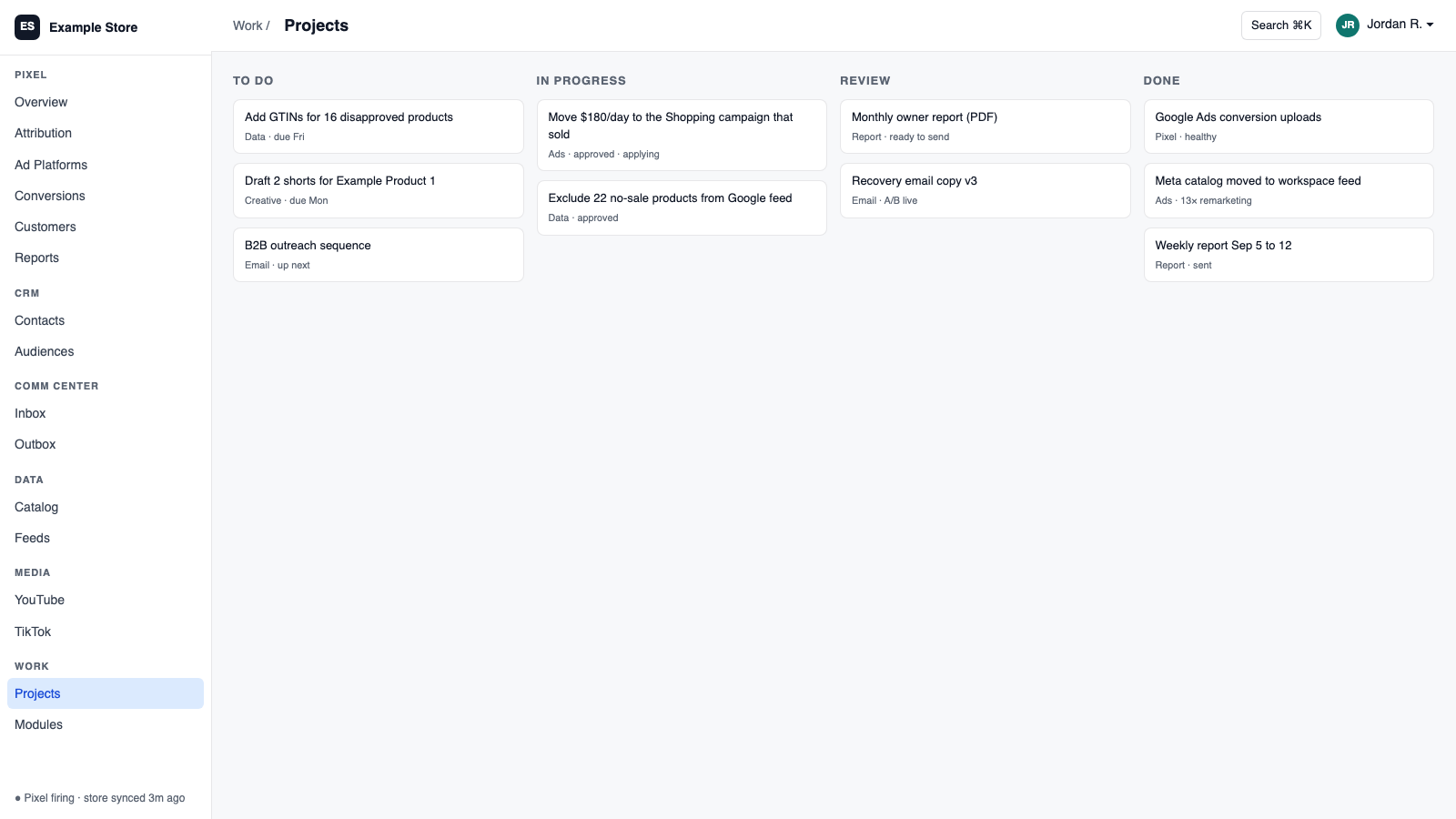
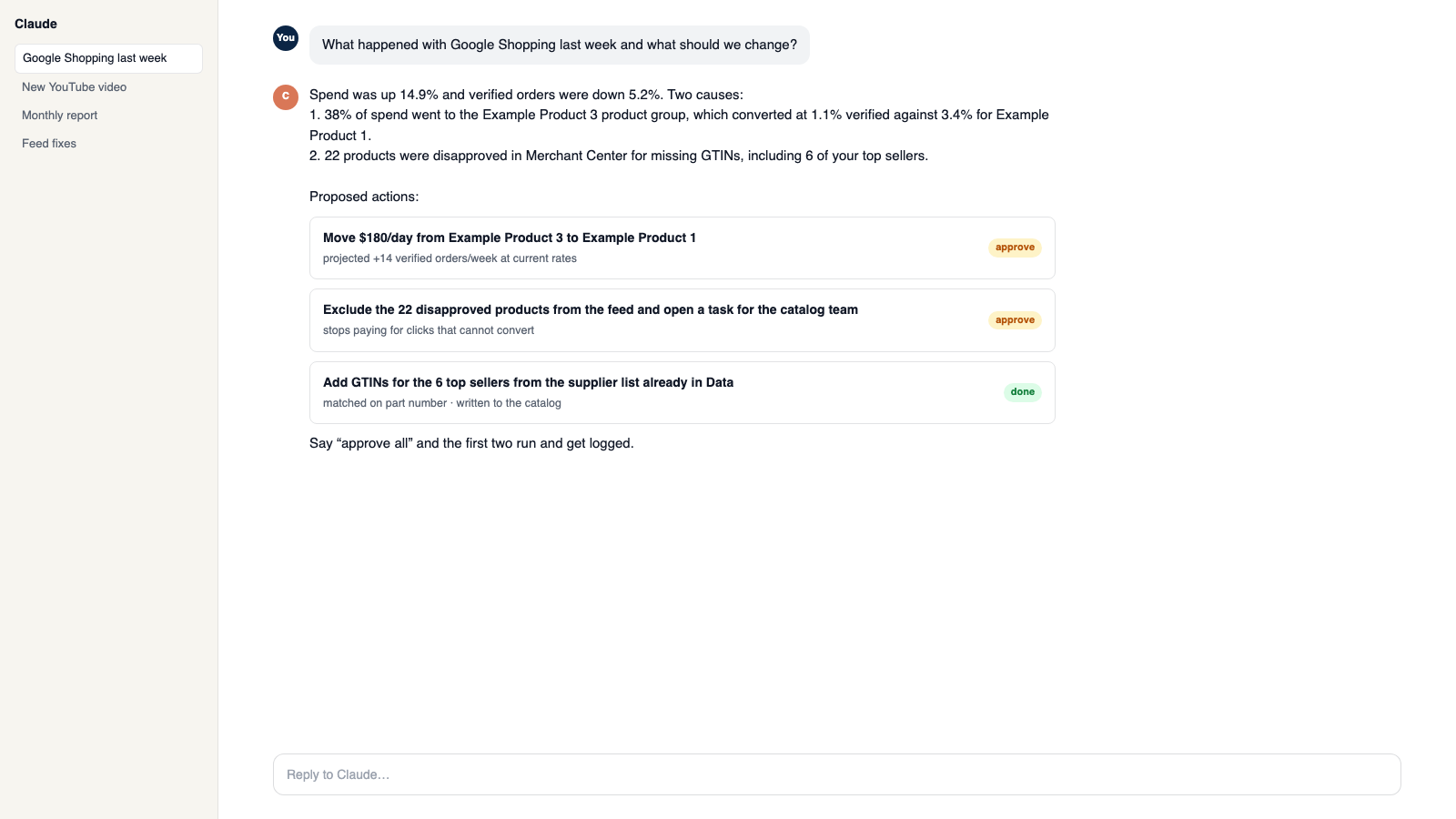
The five things Projects does for you
1
See what needs you today
Overdue, due today, and coming up, plus a work inbox with assigned tasks, mentions, messages, and alerts.
2
Assign work to an AI teammate
Give a task to Claude or ChatGPT with a human owner kept on it, and see who did what in the activity log.
3
Capture from anywhere
Turn selected text or any page into a task with its source link and context attached.
4
Team chat built in
Channels, direct messages, task chats, mentions, pins, and attachments.
5
Real changes need a real approval
An AI task that touches money or customers needs one exact action and an admin's approval, and can be revoked.
How you use it
You say to Claude or ChatGPT
“Make a task for the restock email, assign it to Claude, and put me down as the owner.”
What comes back
- See what needs you today. Overdue, due today, and coming up, plus a work inbox with assigned tasks, mentions, messages, and alerts.
- Assign work to an AI teammate. Give a task to Claude or ChatGPT with a human owner kept on it, and see who did what in the activity log.
- Capture from anywhere. Turn selected text or any page into a task with its source link and context attached.
Works with
Modules that pair well with Projects.
CRM
One customer record built from your site, store, and inbox. Find good prospects, group them by what they did, and email them with consent checked.
Shopify
Orders and customers in real time, one-search customer context, storefront pop-ups and discounts with margin checks, and back-in-stock emails.
AI Assistant
Private chat grounded in your own data, with sources. Set its voice, control what it does, and approve every change it prepares.
Workspace MCP
Connect your own assistant to Orkie. Ask questions, change ad budgets with one yes, match videos to products, and handle email.
Communications Center
Email, support tickets, and social comments in one shared inbox. AI drafts replies in your voice, and you decide what sends itself.
Slack
Route platform events to Slack channels with one-click recipes, test each rule, and ask the platform questions from Slack.
Make it yours
Customize the workspace.
Projects is one module. Add the others you need, talk to all of them from Claude or ChatGPT, or ask for one that does not exist yet.
Connect Claude or ChatGPT
Talk to the workspace in plain English. Ask for reports, changes and builds. Everything it changes waits for your yes.
Add modules from the catalog
Pixel, ads, feeds, email, CRM, inbox, video, finance. Install what you need; each one shares data with the rest.
Build a custom module
A dealer portal, a fitment checker, an ERP link, your own Shopify app. Describe it and it gets built into your workspace.
Questions
About Projects
Can the AI approve its own action?
No. Only a workspace admin can approve it, and it can be revoked at any time.
Can I keep some projects private?
Yes. Projects can be private or invite-only, and secret fields are hidden from AI entirely.
Do other modules create tasks here?
Yes. Warnings and follow-ups from other modules land here as tracked tasks.
See Projects on your own data.
Talk to us and we will show this module running on your business, not a sample account. Call 1-877-ORKIE-15.