Content & Social
Turn your videos and products into content, ready to approve
Creative Studios is a guided wizard that turns your own sources into content. Pick a YouTube video, products, or knowledge docs, choose a style and destination, and get a draft you can edit and approve. It also builds branded welcome and back-in-stock emails and storefront pop-up wording, locked to an approved version.
Best for: Business owners who make videos and want blog posts, descriptions, and emails from them without starting from a blank page.
The five things Creative Studios does for you
1
Content from your own sources
Blog articles, YouTube titles and descriptions, product copy, and emails built from your videos, catalog, and notes.
2
Products matched automatically
Catalog items are matched to the video by meaning, or filtered by brand, collection, or SKU.
3
Draft first, publish on purpose
Everything saves as a draft. You edit, approve, and publish to a named store or blog as a separate step.
4
Branded emails, locked once approved
Welcome and back-in-stock emails use your brand kit and stay fixed until you approve a new version.
5
Recipes you can rerun
Save a whole setup (sources, style, and destination) and run it again next time.
How you use it
You say to Claude or ChatGPT
“Write a blog post from my latest video with the three products it features, and leave it as a draft.”
What comes back
- Content from your own sources. Blog articles, YouTube titles and descriptions, product copy, and emails built from your videos, catalog, and notes.
- Products matched automatically. Catalog items are matched to the video by meaning, or filtered by brand, collection, or SKU.
- Draft first, publish on purpose. Everything saves as a draft. You edit, approve, and publish to a named store or blog as a separate step.
Works with
Modules that pair well with Creative Studios.
YouTube
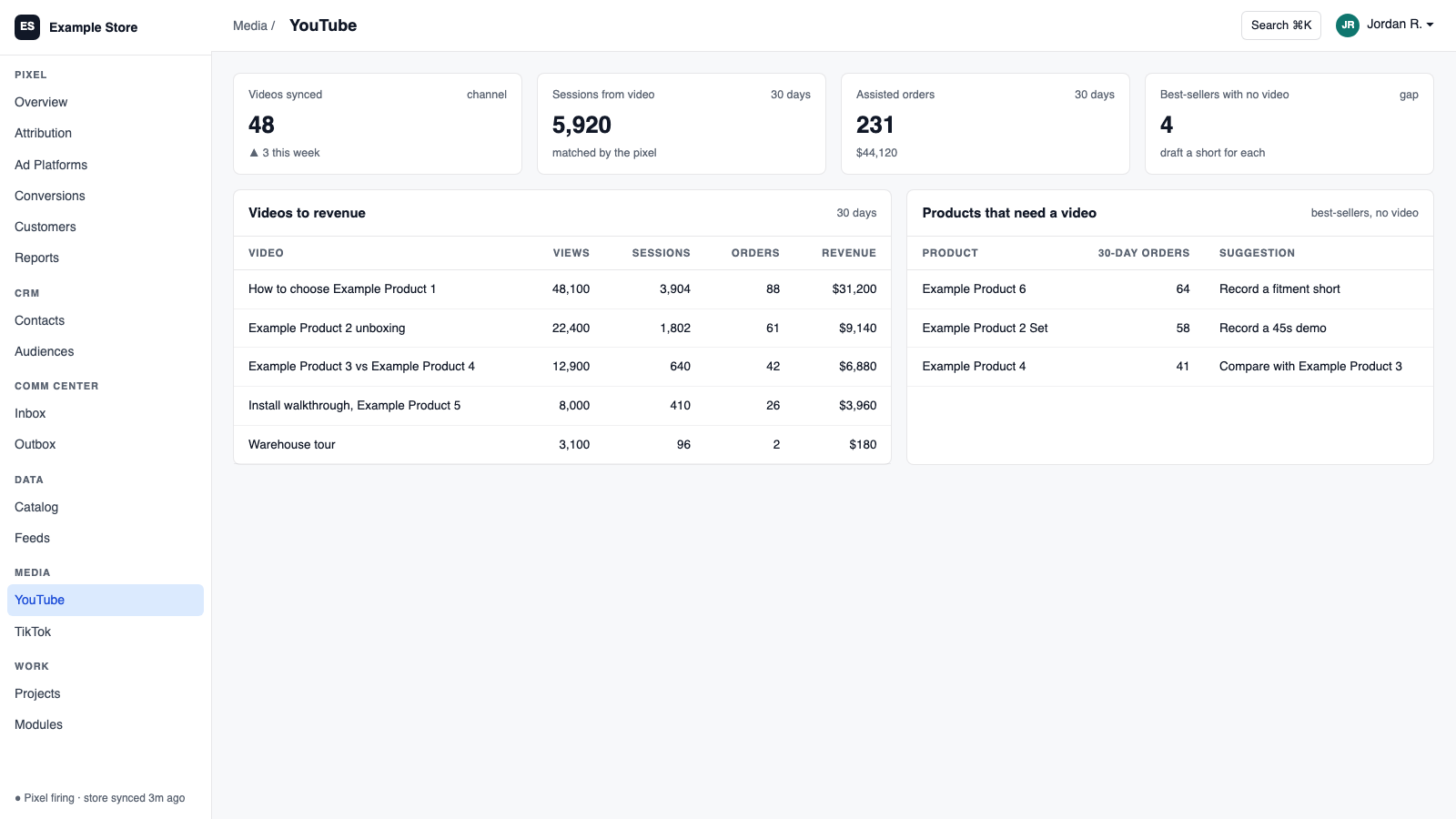
Sync your channel, answer comments from the shared inbox, match videos to products, and see which videos are linked to sales.
Shopify
Orders and customers in real time, one-search customer context, storefront pop-ups and discounts with margin checks, and back-in-stock emails.
BigCommerce
Orders and customers by webhook, one-search customer context, automatic attribution and lifetime value, and server-side checkout fees.
Data Pipeline
Bring in spreadsheets and live sources, clean them as they arrive, and send them anywhere. It is the engine under your AI data catalog feeds and your assistant's product knowledge.
AI Assistant
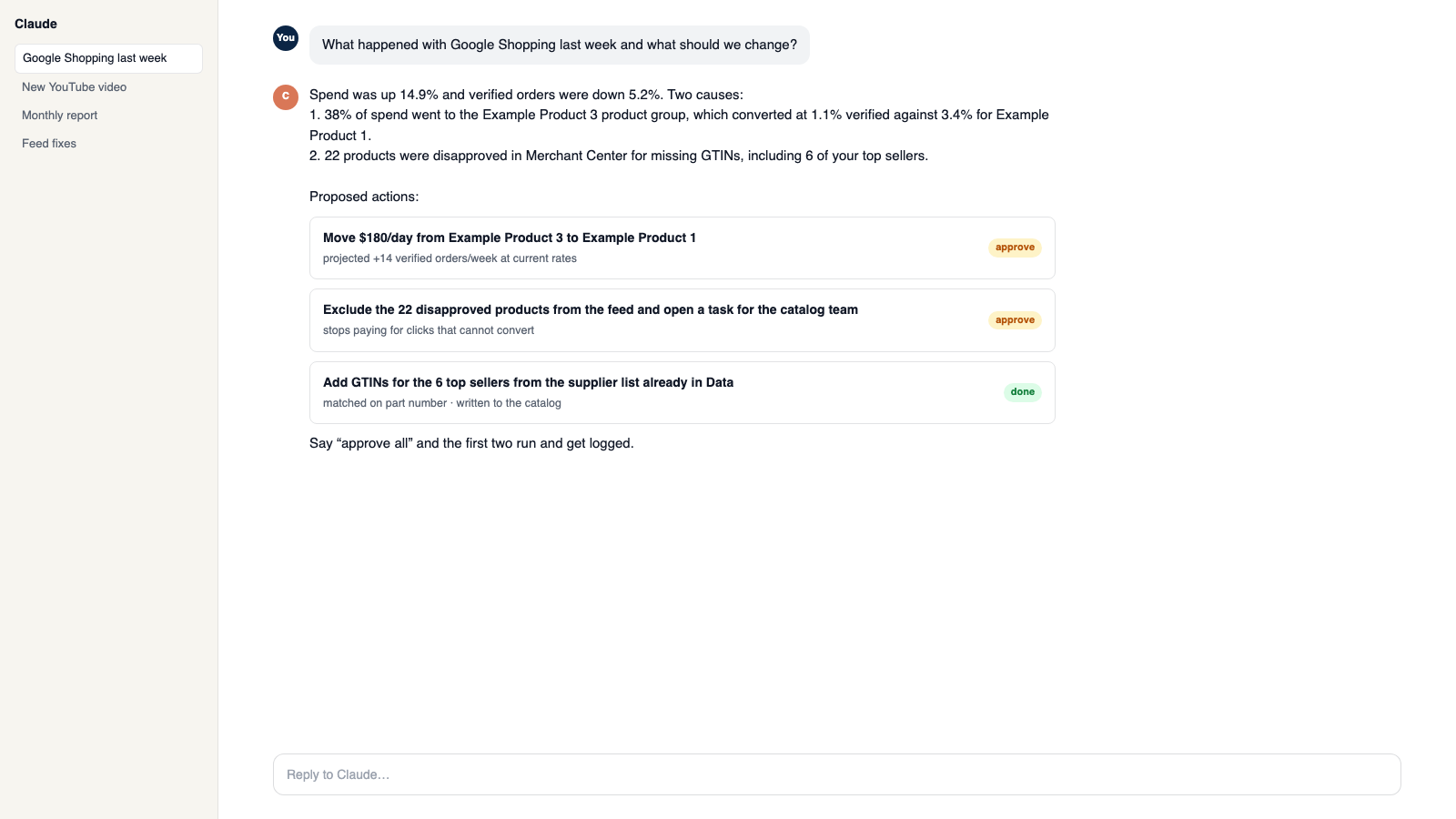
Private chat grounded in your own data, with sources. Set its voice, control what it does, and approve every change it prepares.
Communications Center
Email, support tickets, and social comments in one shared inbox. AI drafts replies in your voice, and you decide what sends itself.
Make it yours
Customize the workspace.
Creative Studios is one module. Add the others you need, talk to all of them from Claude or ChatGPT, or ask for one that does not exist yet.
Connect Claude or ChatGPT
Talk to the workspace in plain English. Ask for reports, changes and builds. Everything it changes waits for your yes.
Add modules from the catalog
Pixel, ads, feeds, email, CRM, inbox, video, finance. Install what you need; each one shares data with the rest.
Build a custom module
A dealer portal, a fitment checker, an ERP link, your own Shopify app. Describe it and it gets built into your workspace.
Questions
About Creative Studios
Does it post for me?
No. You approve a draft, then publish it. Assistants can prepare drafts but cannot publish.
Does it send emails?
No. It supplies approved email designs. The Communications Center delivers them.
Can I keep my brand consistent?
Yes. A brand kit and sender identity are set once and used across email designs.
See Creative Studios on your own data.
Talk to us and we will show this module running on your business, not a sample account. Call 1-877-ORKIE-15.