AI & Automation
Tell Claude or ChatGPT what you want and it does it in your workspace
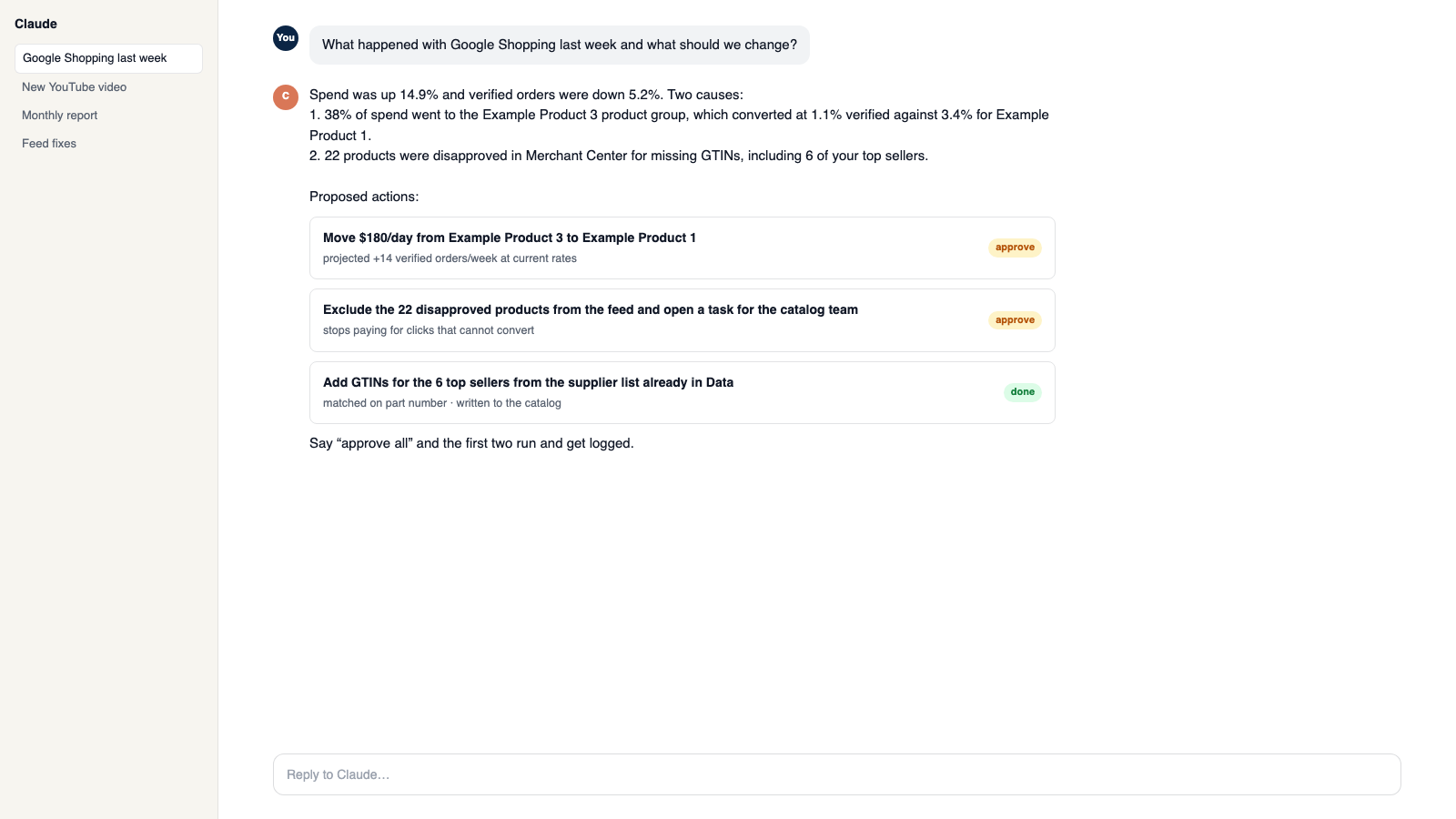
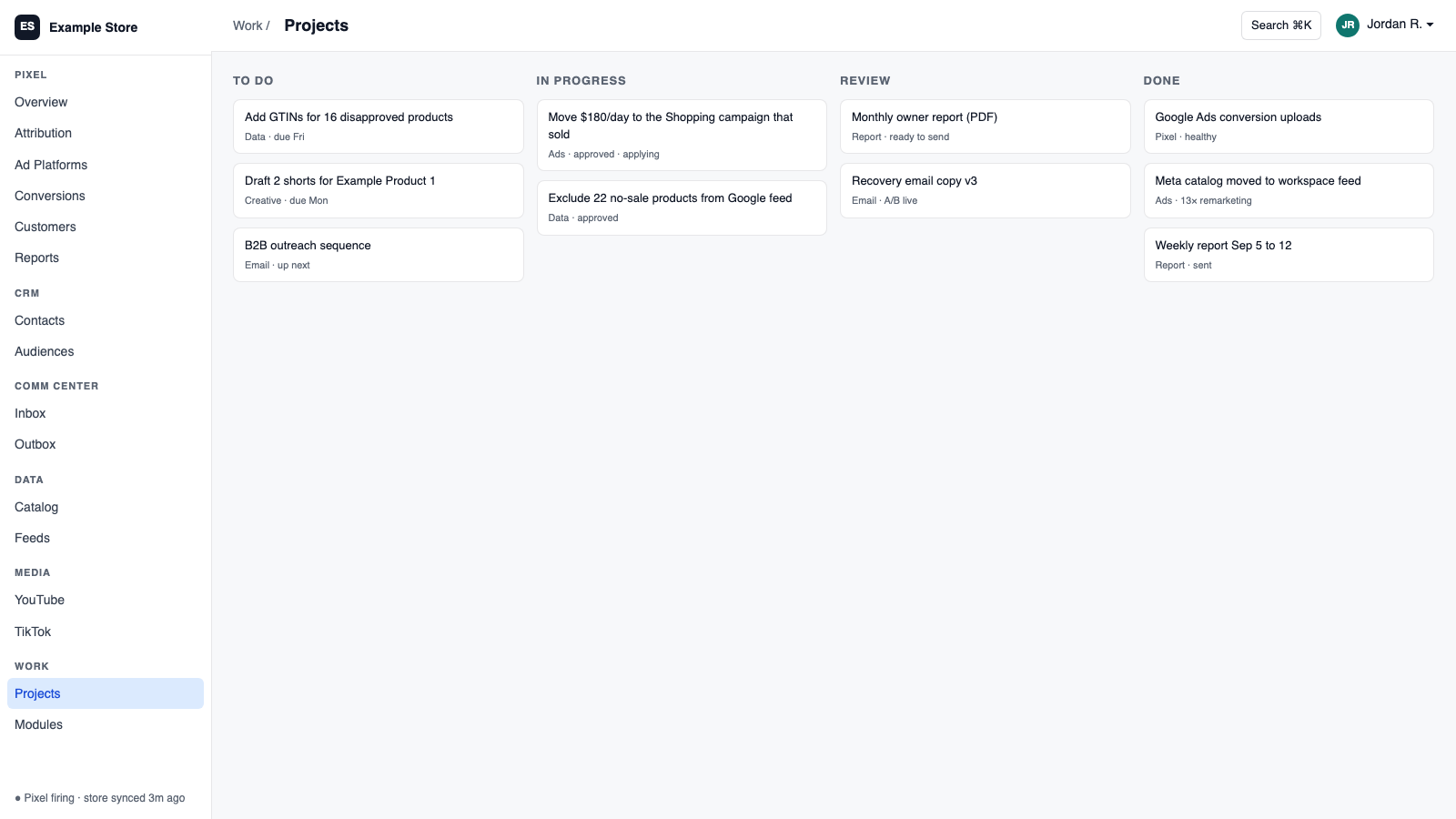
Workspace MCP connects Claude or ChatGPT to your workspace with a normal sign-in. Ask questions in plain language and get answers from your real data. Say exactly what to change on a campaign, say yes once, and it does that one thing. Find videos that fit your products, draft or send email replies, and work your tasks.
Best for: Owners who already use Claude or ChatGPT and want it to run the business, not just talk about it.
The five things Workspace MCP does for you
1
One sentence, one change
Say exactly what to change on an ad campaign, such as a budget, confirm once, and it does that one thing.
2
Answers from real data
Sales today, store revenue against ad spend, products missing feed fields, all from your workspace.
3
Videos matched to products
Find YouTube videos that fit your products, review the pairs, and see which videos are working.
4
Email handled with you
Draft or send replies, preview what the AI would say, and read a conversation's history.
5
Deletes and merges get a second admin
Deleting or merging customer records waits for a different admin's approval. Everything else needs only your yes.
How you use it
You say to Claude or ChatGPT
“Move $200 a day to the campaign that sold most this week, and show me before you do it.”
What comes back
- One sentence, one change. Say exactly what to change on an ad campaign, such as a budget, confirm once, and it does that one thing.
- Answers from real data. Sales today, store revenue against ad spend, products missing feed fields, all from your workspace.
- Videos matched to products. Find YouTube videos that fit your products, review the pairs, and see which videos are working.
Works with
Modules that pair well with Workspace MCP.
Pixel Analytics
Your own visitor and order data. See who is buying, group customers by behavior, send verified sales to your ad platforms, and get full reports.
Shopify
Orders and customers in real time, one-search customer context, storefront pop-ups and discounts with margin checks, and back-in-stock emails.
Google Ads
Send verified sales back to Google, pull spend for real ROAS, and change budgets and bids from Orkie with safety caps.
YouTube
Sync your channel, answer comments from the shared inbox, match videos to products, and see which videos are linked to sales.
CRM
One customer record built from your site, store, and inbox. Find good prospects, group them by what they did, and email them with consent checked.
Projects
Boards, lists, and calendars for your team, a work inbox that gathers everything, and tasks you can assign to Claude or ChatGPT.
Gmail
Connect Gmail with Google sign-in. Mail syncs in, replies thread correctly, and you choose what the shared inbox may do.
Data Pipeline
Bring in spreadsheets and live sources, clean them as they arrive, and send them anywhere. It is the engine under your AI data catalog feeds and your assistant's product knowledge.
Make it yours
Customize the workspace.
Workspace MCP is one module. Add the others you need, talk to all of them from Claude or ChatGPT, or ask for one that does not exist yet.
Connect Claude or ChatGPT
Talk to the workspace in plain English. Ask for reports, changes and builds. Everything it changes waits for your yes.
Add modules from the catalog
Pixel, ads, feeds, email, CRM, inbox, video, finance. Install what you need; each one shares data with the rest.
Build a custom module
A dealer portal, a fitment checker, an ERP link, your own Shopify app. Describe it and it gets built into your workspace.
Questions
About Workspace MCP
Which assistants work?
Claude Desktop and ChatGPT, each connected with a sign-in and revoked separately.
Can it spend money on its own?
No. Vague instructions like "spend whatever you think" are refused. Each change is exact and confirmed.
Does it understand video content?
It matches videos to products and reports on performance. It does not read transcripts.
See Workspace MCP on your own data.
Talk to us and we will show this module running on your business, not a sample account. Call 1-877-ORKIE-15.